

Your tabs, as a tree
Every open tab appears in the side panel, nested by which tab opened which, so you can see where each rabbit hole started.


Canopy · Coming soon
Canopy is a tab manager and session saver for Chrome and Edge. Save sessions, never lose your tabs, with automatic backups. Works offline, and your tabs never leave your device.
Launching for Chrome and Edge. Planned Pro upgrade: $8.99 one-time.
Be there at launch
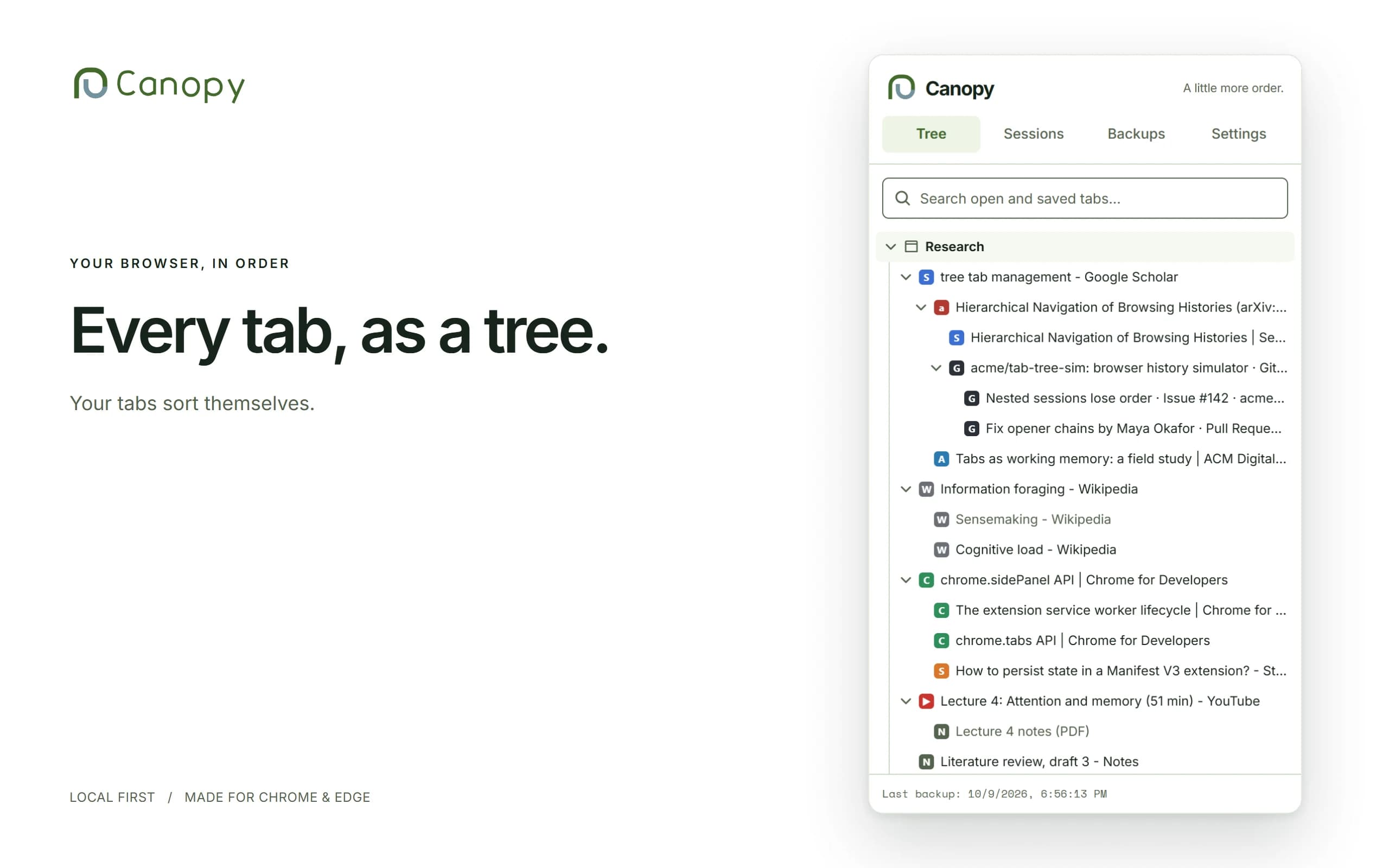
Every open tab appears in the side panel, nested by which tab opened which, so you can see where each rabbit hole started.
Close a tab or a whole window and it stays in the tree, greyed out, until you delete it.
Save a window or any branch as a named session and restore it in one click.
Search open and saved tabs by title, URL or note.
Rolling backups, a "Back up now" button, restore from any backup, and export to a JSON file. A safety backup is taken before every import and restore.
Import from OneTab, Session Buddy, Tabs Outliner or a Canopy export. A good alternative to all three.
Rename, drag to reorder and nest. Light, dark or system theme. Press Alt+T to open the panel.
Add a note to any tab or folder, and color-code branches to tag projects at a glance. Search finds tabs by their notes.
No accounts, no analytics, no tracking, and no access to the content of the pages you visit.
Canopy is free to use. Pro removes the free-tier limits and adds notes and colors, with a single payment. No subscription.
| Feature | Free | Pro |
|---|---|---|
| Live tree, search, saved tabs | Yes | Yes |
| Saved sessions | Up to 5 | Unlimited |
| Automatic backup history | Newest 3 | Full history: 24 hourly + 14 daily |
| Notes on tabs and folders | No | Yes |
| Custom colors | No | Yes |
| Import from OneTab, Session Buddy, Tabs Outliner | Yes | Yes |
| Export to JSON | Yes | Yes |
| Price | $0 | $8.99 one-time |
One-time payment via Lemon Squeezy. Your license key is emailed to you and works on up to 3 browsers. Refund policy.
Private by design
Canopy stores your tree, sessions and backups in your browser's local database, on your own computer. There is no Canopy server, no account, no analytics and no advertising. Canopy asks for no host permissions, so it never reads the content of the pages you visit.
The only time Canopy contacts anyone is when you activate or re-check a Pro license key; it then sends that key to Lemon Squeezy, our payment provider, and nothing about your tabs. Read the full privacy policy.
A few things to know
After you buy Pro, Lemon Squeezy emails you a license key. In Canopy, open Settings, paste the key into the license panel and activate it. If the email doesn't arrive, check your spam folder or contact office@usefrontierdigital.com.
One license key is valid on up to 3 browsers.
Yes. The tree, sessions, search and backups all work without an internet connection. Pro needs a connection only to activate your key and to re-check it from time to time; if you are offline, Pro keeps working for a 30-day grace period.
Yes. Export your tree and sessions to a JSON file any time from the side panel. Exporting is free, and nothing is uploaded.
Export a JSON file from Canopy on the old computer, install Canopy on the new one, and import the file. Then paste your license key into Settings to activate Pro there (it works on up to 3 browsers).
Yes. Canopy imports from all three, and importing is free. A safety backup is taken automatically before every import.
Google Chrome and Microsoft Edge.
All sales are final, so please try the free version first; it includes the full tree, sessions, search, backups and importers. We do refund duplicate charges, and keys that don't work and that we can't fix within 7 days. See the refund policy.
Canopy is built so that a crash, a restart or a closed window never costs you your tree.